
A clean office desk is easier to maintain when you follow a simple routine rather than waiting until dirt, dust and clutter build up. How often you clean your office desk depends on how frequently it is used, whether you eat or drink at it and whether the workspace is shared.
For most regularly used desks, a quick tidy and wipe of high-touch areas every day or few days, followed by a more thorough weekly clean, is a practical starting point. Less frequently used areas can usually be dealt with during a deeper monthly clean.
The important thing is to match your office desk cleaning schedule to how the workspace is actually used. A busy shared desk will normally need more attention than a home office desk used for only a few hours each week.
A Practical Office Desk Cleaning Schedule
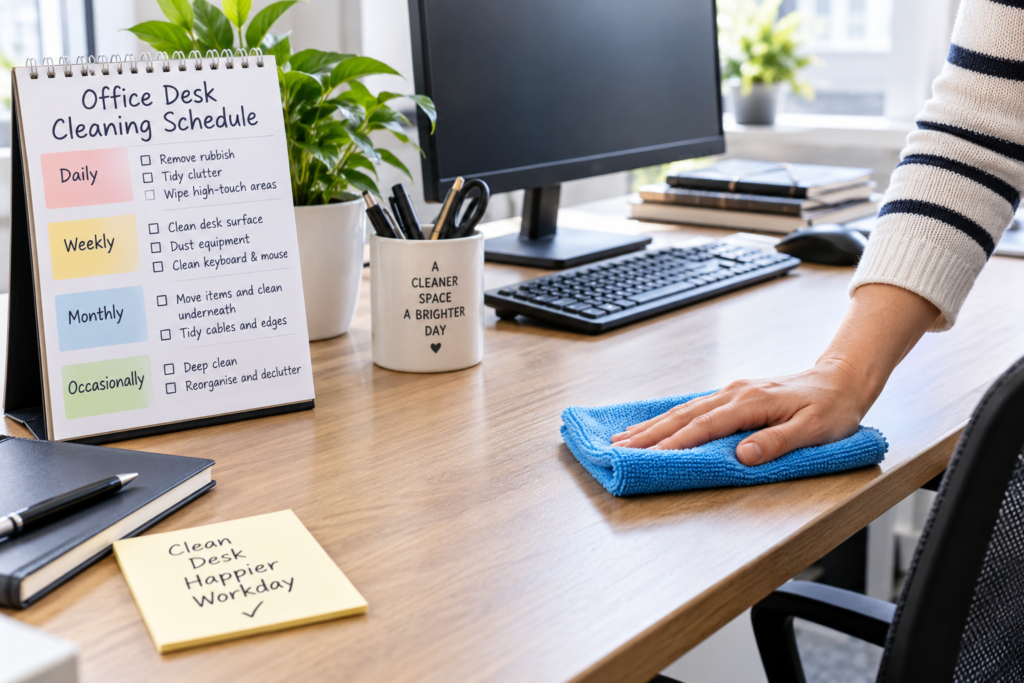
For an office desk used most working days, think of cleaning in four levels: daily attention, weekly cleaning, monthly deeper cleaning and occasional thorough cleaning.
Daily or every few days: remove rubbish, deal with spills promptly, put unnecessary items away and wipe frequently touched areas when needed.
Weekly: clean the main desk surface, remove dust and pay attention to regularly handled items such as the telephone, mouse and other desk equipment.
Monthly: move accessible objects and clean areas that are easily missed during routine cleaning, including around equipment, desk edges and cable areas.
Occasionally: give the whole workstation a more detailed clean, including less accessible areas and accumulated clutter.
This is a practical guide rather than a rigid rule. A desk that receives heavy daily use, is shared between employees or regularly has food and drinks on it may need more frequent attention.
How Often to Clean Each Part of Your Office Desk
Different parts of a workstation collect different types of dirt. Instead of treating desk cleaning as one large job, divide it into smaller tasks according to how quickly each area becomes dirty.
Every day: deal with rubbish, clutter and fresh spills
At the end of the working day, take a minute or two to remove obvious rubbish such as used tissues, food packaging, disposable cups and unnecessary paperwork.
Return items to their usual places so that the main working surface remains reasonably clear. This makes subsequent cleaning much easier because you are not continually moving piles of objects before you can reach the desk.
Fresh spills should be dealt with as soon as practical rather than being left until the scheduled cleaning day. Blot or wipe them using a method suitable for the desk material, particularly on wood or other surfaces that may be affected by moisture.
If you want a fuller routine for the workstation itself, follow our step-by-step guide to cleaning an office desk properly.
Every few days: check high-touch areas
Frequently handled areas can become dirty much faster than the rest of the desk. These may include drawer handles, telephone handsets, light switches around the workstation and commonly handled desk accessories.
How frequently these need wiping depends heavily on use. A desk occupied by one person may stay reasonably clean for several days, while a shared workstation may benefit from attention between users or as part of the workplace’s normal cleaning arrangements.
Do not automatically spray cleaning products directly onto electronic equipment. Follow the manufacturer’s cleaning guidance for phones, monitors, keyboards and other devices.
Weekly: clean the main desk surface
Once a week is a sensible time to give a regularly used office desk a more complete surface clean.
Remove movable items rather than wiping around them. Dust or remove loose debris first, then clean the surface using a product and method appropriate for its material.
Pay attention to areas underneath stationery holders, around monitor stands and beside equipment. These spots are easily missed during quick daily tidying.
If several workstations are being maintained as part of a larger workplace routine, our guide to cleaning an office properly can help you consider the desk alongside the rest of the room.
Weekly or as needed: clean the keyboard and mouse
Keyboards and mice receive frequent hand contact and can collect dust, crumbs and other debris.
Check them regularly and clean them according to the manufacturer’s instructions. Switch off or disconnect equipment where appropriate before cleaning, and avoid introducing excess liquid into openings.
A keyboard may need attention more frequently if someone regularly eats at the desk or if several people use the same equipment. For a more detailed method, see our guide to cleaning an office keyboard safely.
Monthly: move equipment and reach overlooked areas
Routine cleaning often concentrates on the visible part of the desk. Once a month, spend a little more time on the places that normally remain hidden.
Where it is safe and practical, move lightweight desk accessories so you can clean underneath them. Check behind monitor stands, around cable routes, along desk edges and around drawer units.
Avoid moving heavy electrical equipment unnecessarily, pulling cables or using liquid near sockets and connections. If equipment needs to be moved, follow workplace procedures and manufacturer guidance.
This monthly clean is also a good opportunity to remove paperwork, stationery and other items that have gradually accumulated.
Every few months: consider a deeper clean
Even with good weekly cleaning, a busy workstation can gradually develop dirt in corners and less accessible areas.
A periodic deeper clean allows you to tackle these areas, clean around furniture more thoroughly and reorganise items that have been sitting untouched for months.
There is no universal rule that says this must happen on a particular date. Inspect the desk and adjust the frequency to its condition and level of use. When routine wiping is no longer enough, our thorough office desk deep-cleaning guide explains how to take the cleaning further.
When Your Desk May Need Cleaning More Often
A standard office desk cleaning schedule works well as a baseline, but some workstations become dirty much faster than others.
Shared desks and hot-desking areas generally need closer attention because several people may use the same surface and equipment.
Desks where food is eaten can collect crumbs, grease, packaging and drink marks. Remove food debris promptly rather than waiting for the weekly clean.
Busy customer-facing workstations may also require more frequent tidying simply because they receive heavier daily use and need to remain presentable.
Dusty environments can require a shorter cleaning interval. If visible dust returns quickly after cleaning, adjust the schedule rather than continuing to wait a full week.
After illness in a shared workplace, follow your organisation’s hygiene procedures and current official workplace guidance where applicable rather than relying solely on the normal cleaning timetable.
The condition of the desk is often a better guide than the calendar. If it is visibly dusty, sticky, cluttered or marked, it is reasonable to clean it even if the scheduled cleaning day has not arrived.
Explore KeepShine’s free downloadable cleaning resources for practical ways to make regular cleaning and household or workplace organisation easier.
Pro Tip

Keep a small amount of clear desk space permanently free rather than filling every available area with stationery and paperwork. A desk that can be accessed easily takes far less time to wipe properly, making it much more likely that regular cleaning will actually be completed instead of repeatedly postponed.
How to Make Your Cleaning Schedule Easier to Maintain
The best cleaning schedule is one that can realistically become part of the working routine. An ambitious plan that is rarely followed is less useful than a simple schedule that happens consistently.
Start by separating tidying from cleaning. Putting papers away, removing cups and returning stationery to its place keeps the workspace manageable, but it does not replace cleaning the desk surface itself.
Try attaching small tasks to natural points in the working day. Removing rubbish before leaving, for example, takes very little time. A weekly surface clean can then be scheduled for a quieter point in the week.
Avoid allowing unnecessary objects to become permanent fixtures on the desk. The more items that have to be moved, the easier it becomes to wipe only the visible areas and leave dust underneath everything else.
Regular maintenance can also reduce the amount of work required later. Our guide to keeping an office desk clean for longer covers practical ways to control clutter and everyday dirt between cleaning sessions.
Finally, review the schedule rather than treating it as permanent. If the desk remains clean throughout the week, your routine may already be sufficient. If dust, crumbs or marks repeatedly appear sooner, increase the frequency of the particular task causing the problem rather than unnecessarily deep-cleaning the entire workstation.
Mistakes to Avoid

- Cleaning around everything instead of moving accessible items. Wiping only the visible areas allows dust and debris to accumulate underneath stationery, stands and desk accessories. Move safe, lightweight objects during the weekly clean so you can reach the surface properly.
- Spraying cleaner directly onto electronics. Liquid can enter keyboards, phones, monitors and other electrical equipment. Use the manufacturer’s recommended cleaning method and avoid excessive moisture around electrical components.
- Using the wrong product on the desk surface. Desks can be made from laminate, wood, glass and other materials with different care requirements. Check the manufacturer’s guidance when uncertain and test unfamiliar products cautiously.
- Ignoring spills until the next scheduled clean. A weekly cleaning day is not a reason to leave coffee, tea or other spills sitting on the surface. Deal with spills promptly using a method appropriate for the material.
- Waiting for visible dirt before doing anything. Small amounts of clutter and dust are easier to manage regularly than after several weeks of accumulation. A short routine can prevent cleaning from becoming a much larger job.
For more problems that can undermine your routine, see our guide to common office desk cleaning mistakes to avoid.
If keeping desks and the wider workplace consistently clean is becoming difficult to manage, KeepShine can provide professional cleaning support tailored to your premises.
More Questions About Office Desk Cleaning
Cleaning frequency can vary considerably between workstations, so here are answers to a few other practical questions about maintaining a clean office desk.
Should an office desk be cleaned every day?
Not every desk needs a complete clean every day. For many individually used desks, daily tidying combined with a weekly surface clean is a practical routine. However, rubbish, food debris and spills should be dealt with promptly, while heavily used or shared desks may need more frequent cleaning.
How often should a home office desk be cleaned?
A home office desk used every working day can follow a similar weekly cleaning routine to a workplace desk. If it is used only occasionally, it may need less frequent cleaning. Watch for visible dust, crumbs and marks rather than relying entirely on a fixed timetable.
How often should a shared office desk be cleaned?
Shared desks generally deserve more frequent attention than individually assigned workstations because several people may touch the same surfaces and equipment. The appropriate schedule depends on how often users change and your workplace’s cleaning procedures. High-touch areas should receive particular attention.
Does wiping the desk weekly count as a deep clean?
No. Weekly cleaning is primarily routine maintenance. A deeper clean involves reaching areas that are normally overlooked, dealing with accumulated dirt and cleaning more thoroughly around accessible equipment and desk furniture. It usually needs to be done less frequently than the normal weekly clean.
How do I know when my desk needs a deep clean?
Look beyond the main visible surface. Dust behind equipment, debris in difficult-to-reach areas, marks that routine cleaning is not removing and substantial accumulated clutter can all indicate that more thorough attention is worthwhile.
Should the whole office follow the same cleaning frequency?
Not necessarily. Different areas receive different levels and types of use. Desks, kitchens, washrooms, meeting rooms and reception areas may therefore need different schedules. A practical office cleaning plan should consider how each space is used rather than applying exactly the same frequency everywhere.
Subscribe to KeepShine for more practical cleaning guides, simple maintenance advice and useful resources to help keep your workspace easier to manage.
Final Thoughts: Build a Routine That Matches Your Workspace
For most regularly used office desks, a combination of quick daily tidying, weekly surface cleaning and occasional deeper cleaning provides a manageable routine.
The exact frequency should still reflect the desk itself. A lightly used individual workstation and a busy shared desk do not need identical schedules.
Pay attention to how quickly dust, clutter, crumbs and marks return, then adjust individual cleaning tasks accordingly. Keeping on top of small jobs regularly is usually much easier than waiting for everything to build up at once.
A simple, realistic schedule makes office desk cleaning part of normal maintenance rather than another large job waiting to be tackled.