
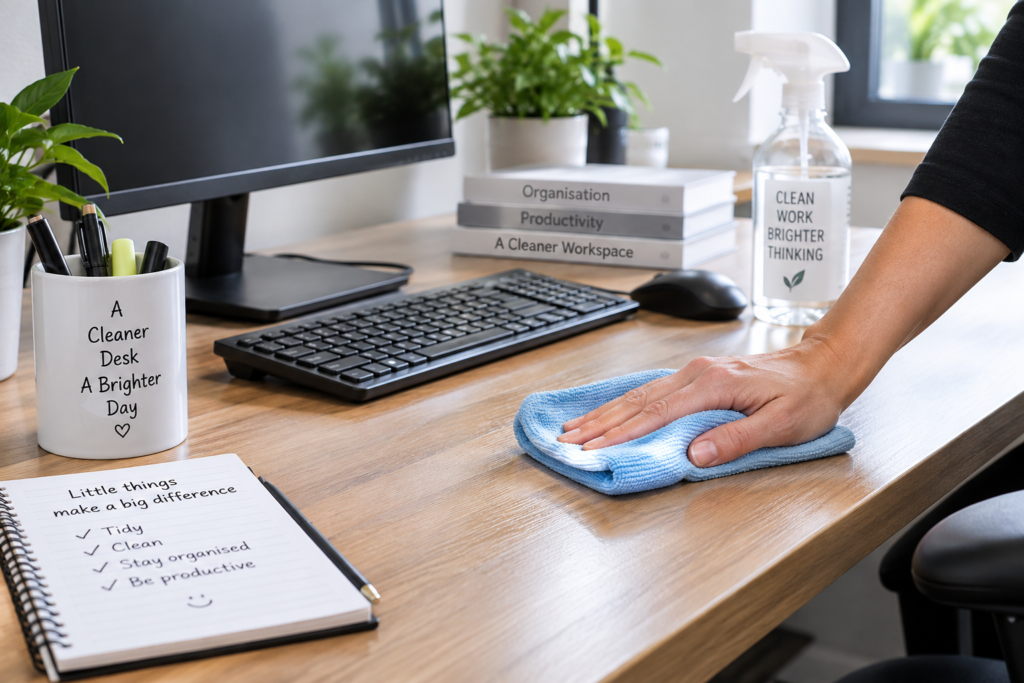
A clean office desk is easier to work at, but knowing how to clean an office desk properly matters when electronics, different surfaces and frequently touched items are involved. A sensible routine removes dust, crumbs, marks and everyday grime without unnecessarily risking damage to your desk or equipment.
Desks can quickly collect dust, food debris, fingerprints and bacteria from hands, particularly around keyboards, mice, phones and drawer handles. Simply wiping around everything may make the desk look better, but it can leave dirt behind and make thorough cleaning harder.
The best approach is to clear the working area, deal with electronics carefully, clean from the least dirty areas towards the messier ones, and allow surfaces to dry before putting everything back.
What You Need Before Cleaning Your Office Desk
You do not need a large collection of specialist products for routine desk cleaning. In most cases, a few basic supplies are enough:
- Microfibre cloths
- A soft duster or clean, dry cloth
- A suitable surface cleaner
- Warm water where appropriate
- A small bin or bag for rubbish
- A soft brush for crumbs and small gaps
- Appropriate screen or electronics-cleaning products if required
Before applying any cleaning product, check what your desk is made from. Laminate, sealed wood, untreated wood, glass and other finishes may require different care. If you are unsure, follow the desk manufacturer’s instructions and test unfamiliar products on a small, inconspicuous area first.
For electronics, switch equipment off where appropriate and follow the manufacturer’s cleaning guidance rather than spraying cleaning products directly onto devices.
How to Clean an Office Desk Step by Step
A systematic approach prevents you from repeatedly moving objects or spreading dust back onto areas you have already cleaned. If the entire workspace needs attention rather than just the desk, our guide to cleaning an office properly can help you tackle the wider room in a sensible order.
1. Remove rubbish and unnecessary items
Start by removing obvious rubbish such as used notes, empty packaging, tissues and food wrappers. Empty your desk bin if necessary.
Do not automatically throw away paperwork simply because it looks unnecessary. Separate documents that need filing, shredding or checking and deal with them appropriately, particularly in a workplace where paperwork may contain confidential information.
2. Clear the desktop
Move stationery, notebooks, files and other movable objects away from the area you are cleaning.
You do not necessarily have to dismantle your entire workstation every time you clean. The aim is to expose enough of the desk surface to clean it properly rather than wiping around objects and leaving rings of dust underneath them.
Use this opportunity to return unnecessary items to drawers, cupboards or their proper storage areas.
3. Deal with your computer equipment carefully
Switch off computers and other electrical equipment before cleaning them where appropriate. Never spray ordinary surface cleaner directly onto a keyboard, monitor, laptop or other electronic device.
Remove loose dust and crumbs carefully using a method recommended for the equipment.
Keyboards deserve particular attention because debris can collect between the keys. For a more detailed method, see our guide to cleaning an office keyboard properly.
Screens also need appropriate care. Avoid assuming that the product you use on your desk is suitable for a monitor or laptop display. Follow the equipment manufacturer’s cleaning instructions.
4. Dust the desk and surrounding areas
Remove loose dust before introducing moisture. Use a clean microfibre cloth or suitable duster across the desktop, paying attention to corners, edges and areas behind equipment.
Work methodically rather than pushing dust from one side of the desk to another. Remember the back edge of the desk, cable areas and spaces underneath monitor stands, where dust often accumulates unnoticed.
Removing loose debris first also reduces the chance of dragging gritty particles across delicate surfaces during damp cleaning.
5. Clean the main desk surface
Use a cleaner suitable for the material and finish of your desk. Apply it according to the product instructions, preferably to your cloth rather than spraying towards nearby electronics.
Wipe the surface systematically, covering the entire accessible area rather than concentrating only on visible marks.
Do not soak the desk. Excess moisture can be particularly problematic around joints, edges, wood finishes and electrical equipment.
For dried marks, give the appropriate cleaner a little time to work if its instructions allow rather than immediately scrubbing aggressively. Always follow the care requirements of the particular surface.
6. Pay attention to frequently touched areas
The main desktop is only part of the job. Clean the areas you touch repeatedly during the working day, including:
- Drawer handles
- Desk edges
- Telephone handsets where appropriate
- Mouse and mouse mat
- Chair arms
- Storage handles
- Frequently handled desk accessories
Use products appropriate for each material or device. A cleaner suitable for a laminated desktop, for example, should not automatically be assumed safe for electronic equipment.
7. Clean underneath and around desk accessories
Dust can accumulate beneath pen holders, document trays, desk lamps, monitor stands and decorative items.
Wipe the objects themselves where appropriate before returning them. Otherwise, dusty accessories can immediately transfer dirt back onto your freshly cleaned desk.
If an item rarely gets used, consider whether it needs to remain on the desktop at all. Keeping the working area reasonably uncluttered makes future cleaning considerably easier.
8. Dry the desk and put everything back
Allow cleaned areas to dry properly before returning paperwork, electronics and accessories.
Use a clean, dry microfibre cloth if the surface requires drying or buffing. Check for missed marks from different angles, especially on glass or glossy finishes where streaks may be easier to see in changing light.
Finally, return essential items neatly and reconnect or switch on equipment only when it is safe to do so.
Explore KeepShine’s free downloadable cleaning resources for practical ways to make regular cleaning and organisation easier.
Pro Tip

Keep one clean microfibre cloth specifically for your desk and workstation rather than using the same cloth across kitchens, toilets or other heavily soiled areas. Separating cleaning cloths by area helps prevent dirt from being transferred from one part of the workplace to another and makes quick desk maintenance much more practical.
Keeping Your Office Desk Cleaner Between Proper Cleans
Once your desk is clean, small habits can prevent it from quickly returning to the same condition.
Deal with spills and fresh marks promptly when it is safe to do so. A small mark that can be wiped away easily today may require considerably more effort once it has dried.
Try to keep food contained rather than allowing crumbs to spread across the desk and keyboard. If you regularly eat at your workstation, remove crumbs and food debris afterwards instead of leaving them until the next major clean.
Clutter also makes cleaning more difficult. When paperwork, stationery and unused equipment cover most of the surface, dust accumulates around and underneath them. Spending a minute returning items to their proper places at the end of the working day can make routine cleaning much quicker.
The appropriate cleaning frequency depends on how the desk is used, how many people use it and the working environment. A shared workstation or frequently used reception desk may need more attention than a desk used occasionally by one person. Our practical office desk cleaning schedule explains how to decide what needs cleaning and when.
Routine maintenance should not replace occasional thorough cleaning. Dirt can gradually accumulate around cables, underneath equipment and inside less accessible areas. When your normal wipe-down is no longer enough, deep cleaning your office desk can help you tackle the areas that everyday cleaning misses.
Mistakes to Avoid
- Spraying cleaner directly around electronics. Fine droplets can reach keyboards, screens, sockets and other equipment. Apply suitable products carefully and always follow the equipment manufacturer’s cleaning instructions.
- Using the same product on every surface. A desk may contain laminate, wood, metal, glass and electronic equipment within a very small area. Check that a product is appropriate before using it rather than assuming one cleaner is suitable for everything.
- Cleaning around clutter instead of moving it. Wiping only the visible parts of a desk leaves dust underneath stationery, equipment and paperwork. Clear enough of the surface to clean it properly.
- Using too much water. More moisture does not necessarily produce a cleaner desk. Excess liquid can damage some finishes and is particularly unsuitable around electrical equipment.
- Scrubbing marks aggressively. Hard rubbing or abrasive materials can scratch or dull some desk finishes. Start with the gentlest appropriate method and check the manufacturer’s care guidance for delicate surfaces.
- Ignoring recurring habits that create the mess. If crumbs, clutter and spills constantly build up, cleaning becomes harder than necessary. Our guide to common office desk cleaning mistakes covers more ways to avoid making routine maintenance unnecessarily difficult.
If keeping desks and work areas consistently clean is becoming difficult, KeepShine can help with professional cleaning for your wider workplace.
Common Questions About Cleaning an Office Desk
Cleaning a desk is straightforward once you have a routine, but a few practical questions often come up when dealing with everyday workspaces.
How often should I clean my office desk?
There is no single schedule suitable for every desk. How often you clean depends on factors such as daily use, whether the desk is shared, whether food is eaten there and how quickly dust accumulates. Frequently touched areas and visible spills may need attention more often than less-used parts of the workstation.
Can I use disinfectant on my office desk?
Only if the disinfectant is suitable for the particular desk surface and you use it according to its instructions. Cleaning and disinfecting are not automatically the same task, and not every desk requires routine disinfection. Be especially careful around electronics and delicate finishes.
Should I clean my keyboard at the same time as my desk?
It is sensible to include the keyboard in your workstation routine because it is handled frequently and can collect crumbs and dust. However, treat it as electronic equipment rather than simply wiping it with the same wet cloth used on the desktop. Follow the manufacturer’s care instructions.
What is the best way to clean a wooden office desk?
First establish what type of finish the wood has, because care requirements can differ significantly. Avoid excessive moisture and harsh or abrasive products unless the manufacturer specifically recommends them. Use a suitable cleaning method for that particular finish and test unfamiliar products in an inconspicuous area.
How can I stop my desk becoming dusty so quickly?
Regular light dusting helps, but reducing clutter can make the biggest practical difference because fewer objects mean fewer difficult areas for dust to collect. Our guide to keeping an office desk clean for longer covers simple habits that can make ongoing maintenance easier.
Does cleaning my desk make sense if the rest of the office is dirty?
Yes, but cleaning the wider environment matters too. Dust and debris from floors, nearby furniture and other surfaces can eventually return to the desk. A regular workplace cleaning routine that covers desks alongside floors, communal areas and frequently touched surfaces generally makes maintaining individual workstations much easier.
Subscribe to KeepShine for more practical office cleaning guides, straightforward cleaning tips and useful resources.
Final Thoughts: A Simple Desk-Cleaning Routine Makes the Difference
Cleaning an office desk properly does not need to become a major job. Clear the working area, remove loose dust and debris, use products that are appropriate for the desk surface, and treat electronic equipment separately and carefully.
Once the desk is clean, regular small habits make the biggest difference. Deal with spills promptly, remove food debris, reduce unnecessary clutter and give frequently touched areas the attention they need.
A desk that receives light, consistent maintenance is usually much easier to manage than one left until dirt and clutter have accumulated. Make desk cleaning part of the wider office routine, and the job becomes quicker and more manageable each time.